> ## Documentation Index
> Fetch the complete documentation index at: https://docs.routera.io/llms.txt
> Use this file to discover all available pages before exploring further.
# Managing records
> Create, edit, filter, and customize record lists in Routera.
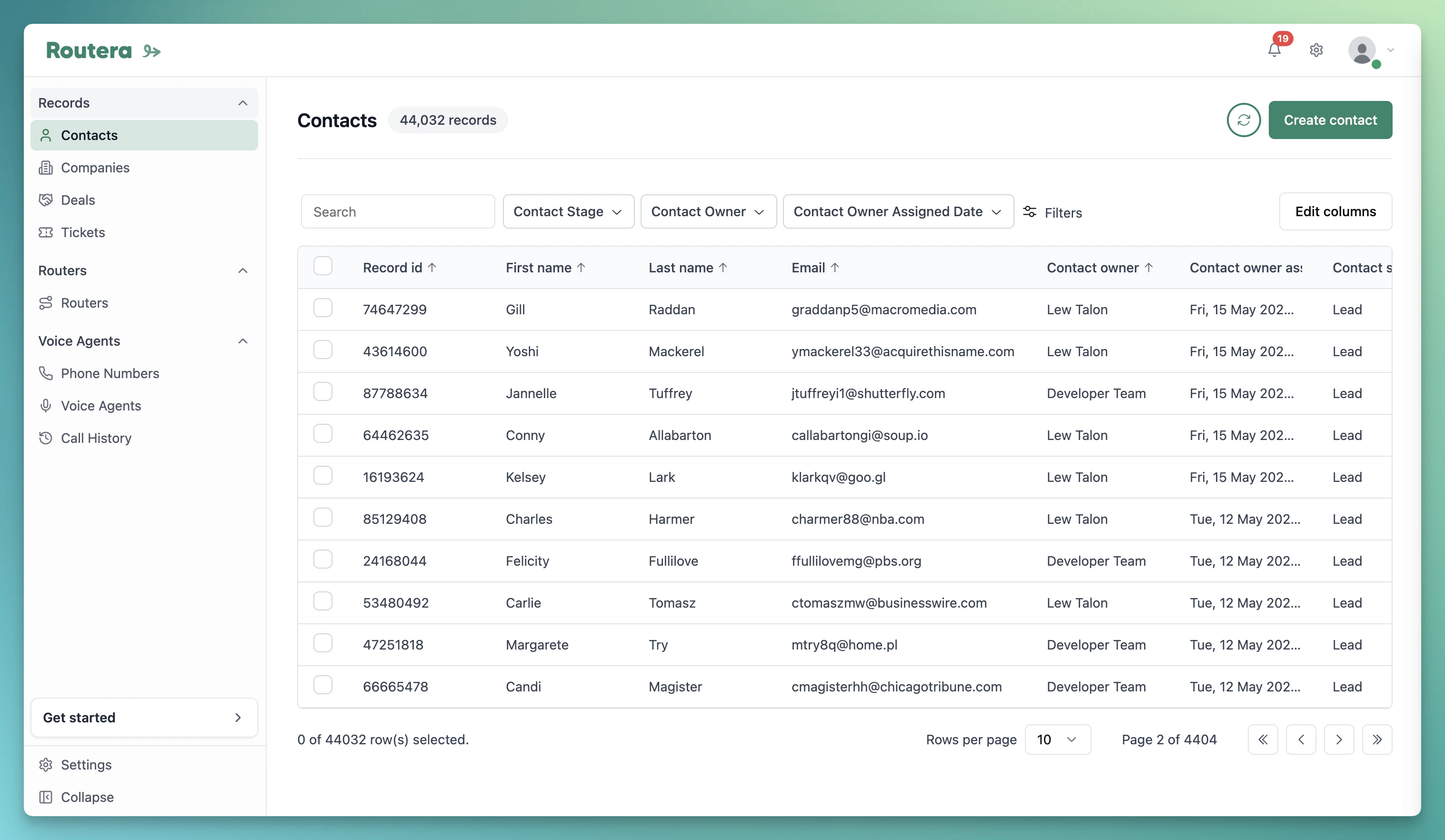
Records are organized by object type (for example **Contacts**, **Companies**, **Deals**, and **Tickets**). Open the type you need from **Records** in the sidebar.
## Create a record
1. Go to **Records** and select the object type.
2. Click **Create** followed by the object name (for example **Create contact**).
3. Complete the form in the drawer. Required fields depend on your object type and field configuration in **Settings** → **Data Fields**.
4. Click **Save**.
 ## Edit records (bulk)
1. On the same list, select one or more records using the checkboxes.
2. Click **Edit**.
3. Choose the **property to update**, enter or select the new value, and click **Update**.
Open a single record from the list to view or change it on the detail page.
## Customize columns
Click **Edit columns** to choose which fields appear in the table and adjust column order.
## Filter the list
1. Click **Filters**, then add a filter and pick a field.
2. Choose an operator and value (for example equals, contains, is known).
3. Combine filters with **AND** or **OR** as needed. Use **Reset** to clear all filters.
## Edit records (bulk)
1. On the same list, select one or more records using the checkboxes.
2. Click **Edit**.
3. Choose the **property to update**, enter or select the new value, and click **Update**.
Open a single record from the list to view or change it on the detail page.
## Customize columns
Click **Edit columns** to choose which fields appear in the table and adjust column order.
## Filter the list
1. Click **Filters**, then add a filter and pick a field.
2. Choose an operator and value (for example equals, contains, is known).
3. Combine filters with **AND** or **OR** as needed. Use **Reset** to clear all filters.
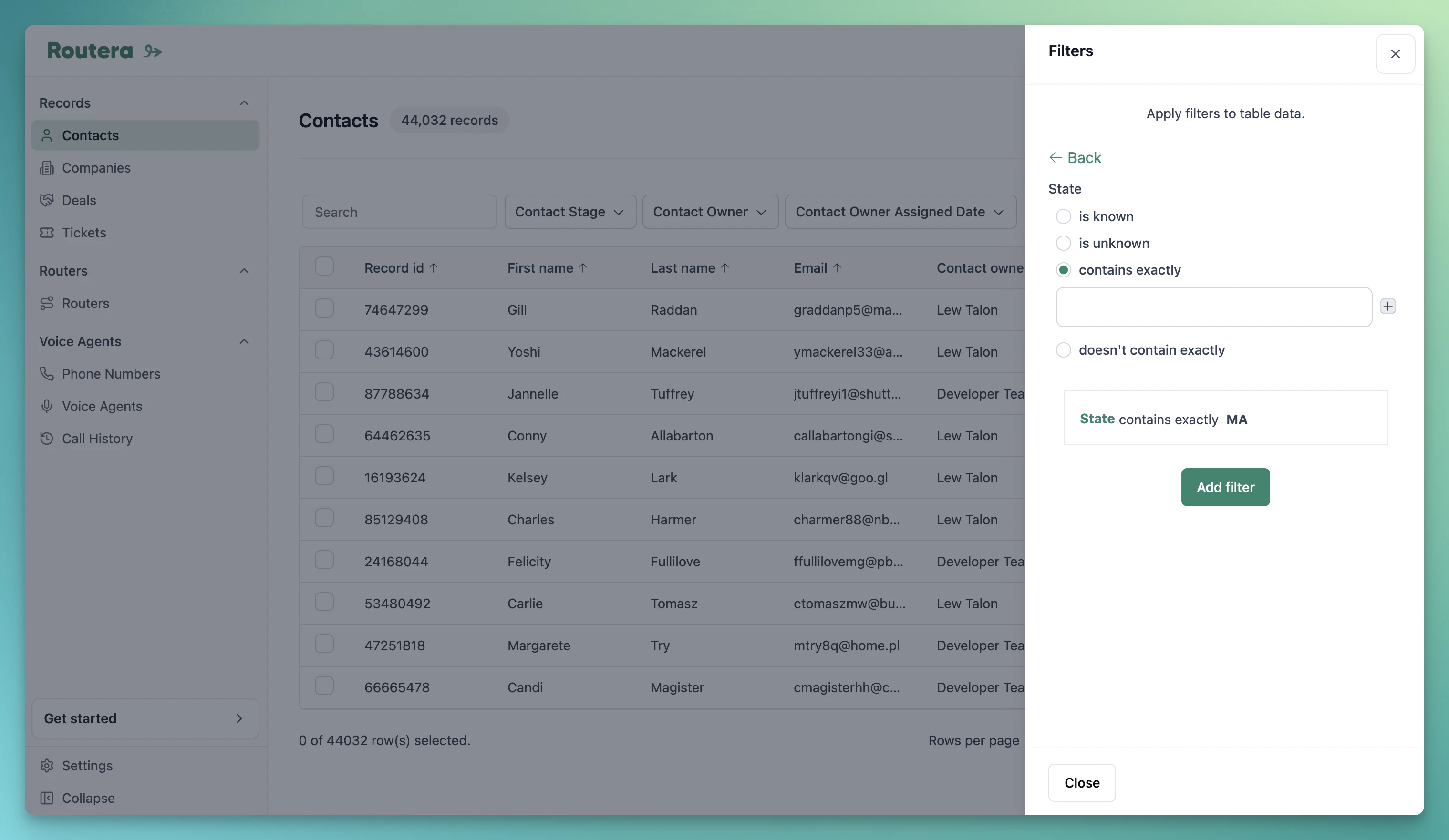 **AND** returns records that match every condition in a group. **OR** returns records that match any condition—useful when you want results from multiple values on the same field (for example country is United States or Canada).
Many records sync from your CRM after [HubSpot integration](/kb/integrate-hubspot). You can still create and edit records in Routera when your role has permission.
**AND** returns records that match every condition in a group. **OR** returns records that match any condition—useful when you want results from multiple values on the same field (for example country is United States or Canada).
Many records sync from your CRM after [HubSpot integration](/kb/integrate-hubspot). You can still create and edit records in Routera when your role has permission.