> ## Documentation Index
> Fetch the complete documentation index at: https://docs.routera.io/llms.txt
> Use this file to discover all available pages before exploring further.
# Creating teams
> Group users into teams for routing and easier management.
Teams are optional but useful: assign a **team** on a router instead of individual users, and update membership in one place when people join or leave.
## Create a team
1. Open **Settings** → **Users** → **Teams**.
2. Click **Create team**.
3. Enter a **team name**, select **team managers** and **team members**, then click **Create team**.
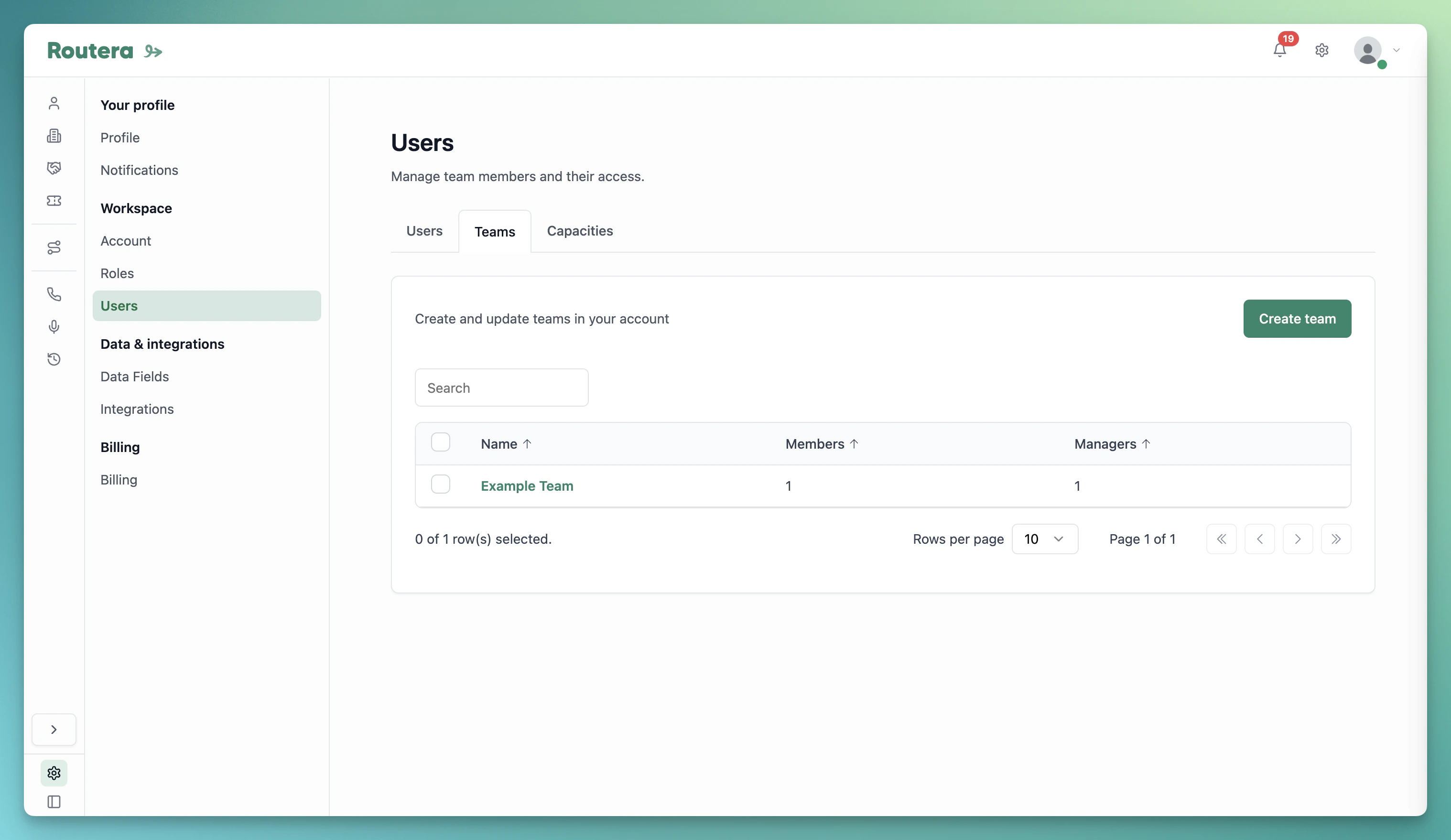 **Team managers** can manage members’ availability and working hours. **Team members** receive assignments. A user cannot be both manager and member on the same team—adding them as a manager removes them from members, and vice versa.
## Edit a team
1. On the **Teams** tab, click the team name.
2. Use **Add Managers** or open the **Members** tab and click **Add Users** to add people.
3. Select users in the sidebar and confirm. Click **Back** to return to the teams list.
## Delete a team
1. On the **Teams** tab, select the team in the list.
2. Delete the team and confirm in the dialog.
Invite users to the workspace first if they are not listed yet. See [Inviting users](/kb/inviting-users).
**Team managers** can manage members’ availability and working hours. **Team members** receive assignments. A user cannot be both manager and member on the same team—adding them as a manager removes them from members, and vice versa.
## Edit a team
1. On the **Teams** tab, click the team name.
2. Use **Add Managers** or open the **Members** tab and click **Add Users** to add people.
3. Select users in the sidebar and confirm. Click **Back** to return to the teams list.
## Delete a team
1. On the **Teams** tab, select the team in the list.
2. Delete the team and confirm in the dialog.
Invite users to the workspace first if they are not listed yet. See [Inviting users](/kb/inviting-users).