To access your Profile settings, click Settings in the upper-right corner of your screen. You’ll see the following options:Documentation Index
Fetch the complete documentation index at: https://docs.routera.io/llms.txt
Use this file to discover all available pages before exploring further.
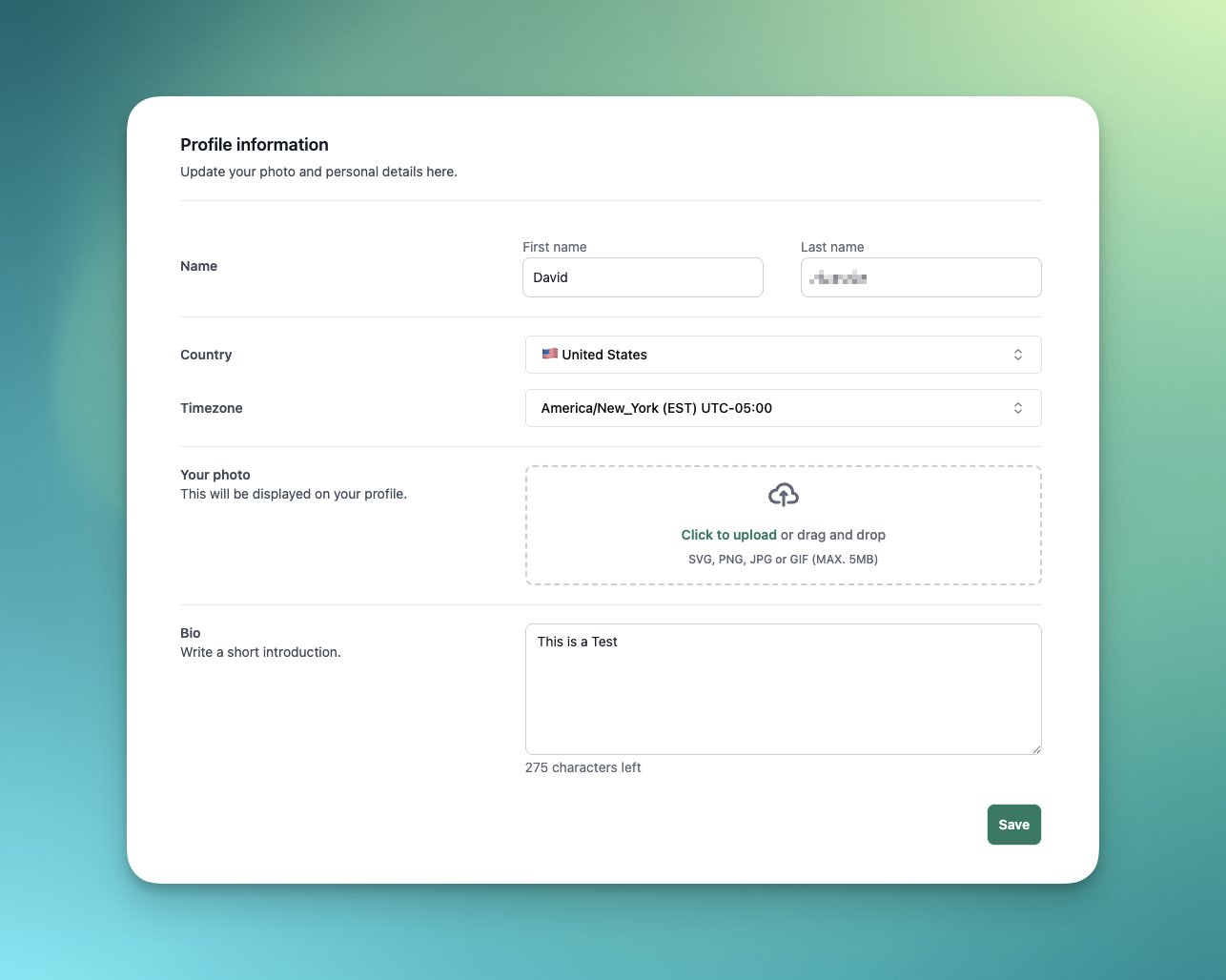
- Name: Enter your first and last name.
- Country: Select your country of residence.
- Timezone: Choose your timezone by Continent/City. The abbreviation (e.g., EST) and UTC offset will also display.
- Your Photo: Upload a profile picture in SVG, PNG, JPG, or GIF format (maximum size: 5MB).
- Bio: Add a short introduction to your profile.
Click Save to apply your changes.